728x90
DOM Script인 document 객체를 활용하면 자바스크립트로 HTML 객체를 생성할 수 있습니다.
1. 객체 만들기
| 메소드 | 매개변수 | 기능 | 반환값 |
| createElement | str element | element에 해당하는 태그 요소 반환 | element |
| createAttribute | str attr | attr에 해당하는 속성 반환 | attribute |
여기서 객체의 속성을 지정하는 방법은 두 가지가 있습니다.
1. createAttribute() 생성
attribute 변수를 따로 생성한 뒤 nodeValue에 속성값을 입력하는 방법입니다.
이 후 setAttributeNode() 함수를 이용해 element에 부여합니다.
function createTag1(){
    var element = document.createElement("div");
    var attribute = document.createAttribute("style");

    // set attribute value to the element
    attribute.nodeValue = "backgound-color: #EEE; width: 100px; height: 100px;";
    element.setAttributeNode(attribute);

    // add the element to the document
    document.body.appendChild(element);
}
2. element에 직접 부여
attribute 변수를 생성하지 않고 바로 setAttributeNode() 함수의 매개변수에 속성값을 입력하는 방법입니다.
function createTag2(){
    var element = document.createElement("div");

    // set attribute value to the element
    element.setAttribute("style", "background-color: #AAA; width: 100px; height: 100px;");

    // add the element to the document
    document.body.appendChild(element);
}
아래는 코드 전문입니다.
<html>
    <head>
        <meta charset="UTF-8">
        <title>practice10_DOM</title>
        <script type="text/javascript">
        	// way 1. with createAttribute()
            function createTag1(){
                var element = document.createElement("div");
                var attribute = document.createAttribute("style");

                // set attribute value to the element
                attribute.nodeValue = "backgound-color: #EEE; width: 100px; height: 100px;";
                element.setAttributeNode(attribute);

                // add the element to the document
                document.body.appendChild(element);
            }

        	// way 2. without createAttribute()
            function createTag2(){
                var element = document.createElement("div");

                // set attribute value to the element
                element.setAttribute("style", "background-color: #AAA; width: 100px; height: 100px;");

                // add the element to the document
                document.body.appendChild(element);
            }
        </script>
    </head>
    <body>
        <button onclick="createTag1();">create object 1</button>
        <button onclick="createTag2();">create object 2</button>
    </body>
</html>
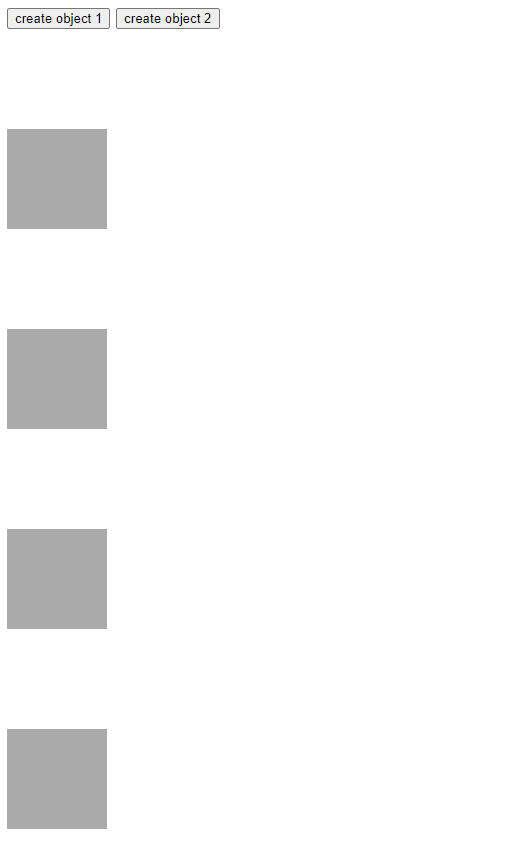
실행시 다음과 같이 버튼을 누를 때 마다 사각형을 생성하게 됩니다.

2. 객체 찾기
| 메소드 | 매개변수 | 기능 | 반환값 |
| getElementById(id) | str id | id로 요소 찾기 | element |
| getElementsByTagName(tag) | str tag | tag로 요소 모두 찾기 | element [ ] |
| getElementsByName(name) | str name | name으로 모두 찾기 | element [ ] |
| querySelector(select) | str select | CSS 선택자로 요소 찾기 | element |
| querySelectorAll(select) | str select | CSS 선택자로 요소 모두 찾기 | element [ ] |
728x90
'Frontend' 카테고리의 다른 글
| [Frontend] index.html과 index.js (0) | 2024.05.20 |
|---|---|
| [JS] Form element (0) | 2024.02.21 |
| DOM Script에 대해서 (0) | 2024.02.14 |
| [JS] 알림창 종류 정리 (0) | 2024.02.08 |
| [JS] HTML에 JavaScript 코드 삽입하기 (0) | 2024.01.26 |